
AI Email Reply Generator: Draft the Perfect Response to Any Email in Seconds
An AI email reply generator reads the message sitting in your inbox and drafts a ready-to-send response in seconds, working like a purpose-built AI email generator rather than a blank-page writing tool. You paste the email you received, describe the gist of your reply, pick a tone, and generate — no staring at a cursor while you figure out how to phrase a decline or a follow-up.
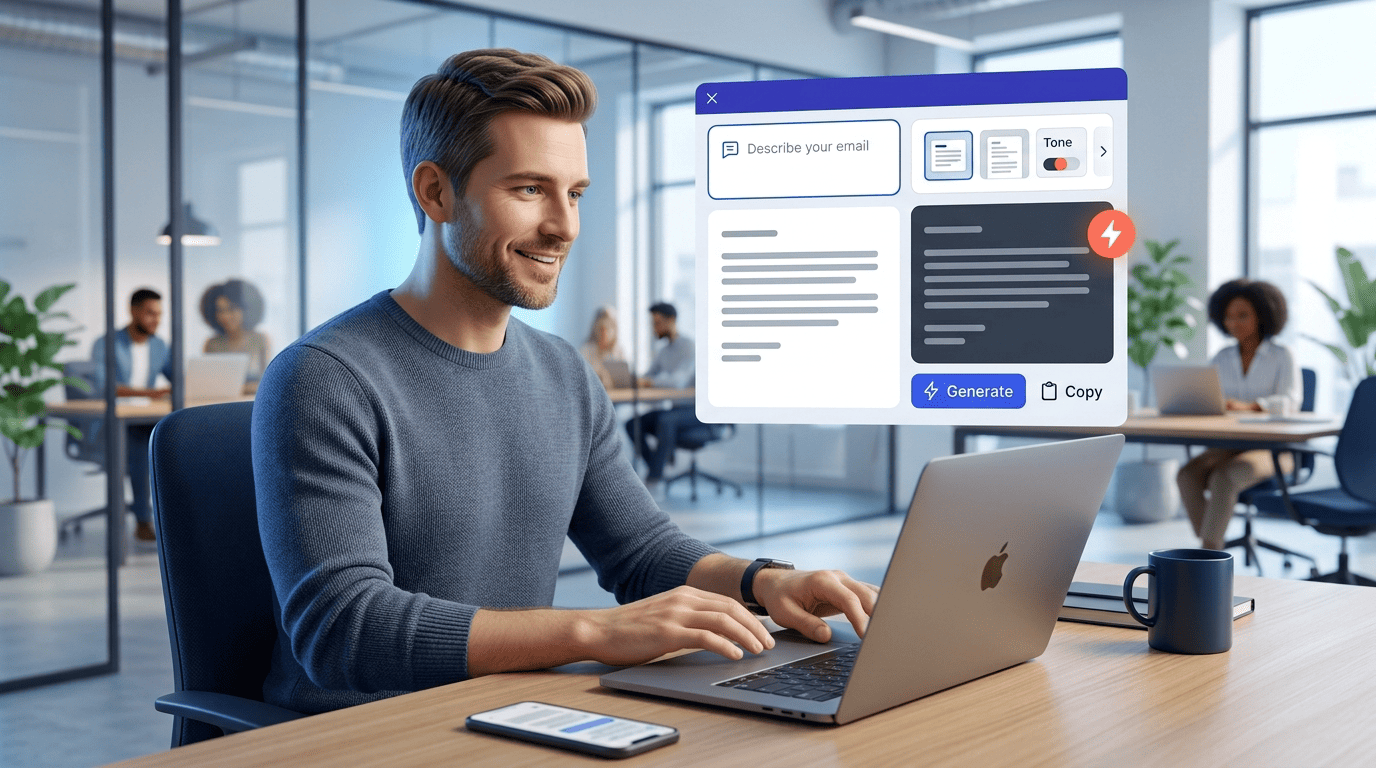
The reason this category exists is simple math. According to the McKinsey Global Institute, the average interaction worker spends roughly 28% of the workweek managing email. Reply generators target exactly that backlog: instead of composing every message from scratch, you react to what’s already in your inbox and let the model handle the first draft.
What Is an AI Email Reply Generator?
An AI email reply generator is a tool that takes an incoming message as input, along with a short instruction from you, and outputs a context-aware draft reply. Under the hood, most of these tools are powered by a large language model — Mailmeteor, for instance, runs on ChatGPT/OpenAI — trained to recognize the intent of the email you received and produce a plausible, on-topic response rather than a generic template.
Reply generator vs. email writer vs. full assistant
The naming in this space gets blurry, but the mechanics differ. A «writer» or plain «generator» composes a message from a prompt with no email to react to — think cold outreach or a first-touch note. A «reply generator» specifically reads a piece of context: the email that landed in your inbox, its sender, its ask. An «assistant» goes further still. Fyxer, for example, learns your writing style over time and drafts replies directly inside your inbox, and the company reports it serves over 100,000 professionals who have collectively had more than 78 million emails drafted for them, saving upward of an hour a day. All three categories tend to sit on the same underlying technology — a language model interpreting text — they just differ in how much context they take in and how automated the workflow becomes.
Why people use them
The appeal is time, not novelty. Jotform reports that AI-assisted responses can cut the time spent on routine replies by around 60%, and that lines up with the McKinsey figure on how much of the week email already consumes. The goal isn’t to remove you from the conversation — it’s to remove the blank-page problem, so replying to a backlog of 40 unread threads doesn’t require 40 fresh compositions.
How an AI Email Reply Generator Works (Step by Step)
Every tool in this category follows roughly the same underlying loop, even when the interface looks different. QuillBot compresses it into three steps — paste, refine, copy and send — while Planable walks through a longer six-step flow with style, context, and length pickers. Jotform frames it as configure, input, goals. Strip away the branding and the mechanism is identical: text in, tone applied, draft out.
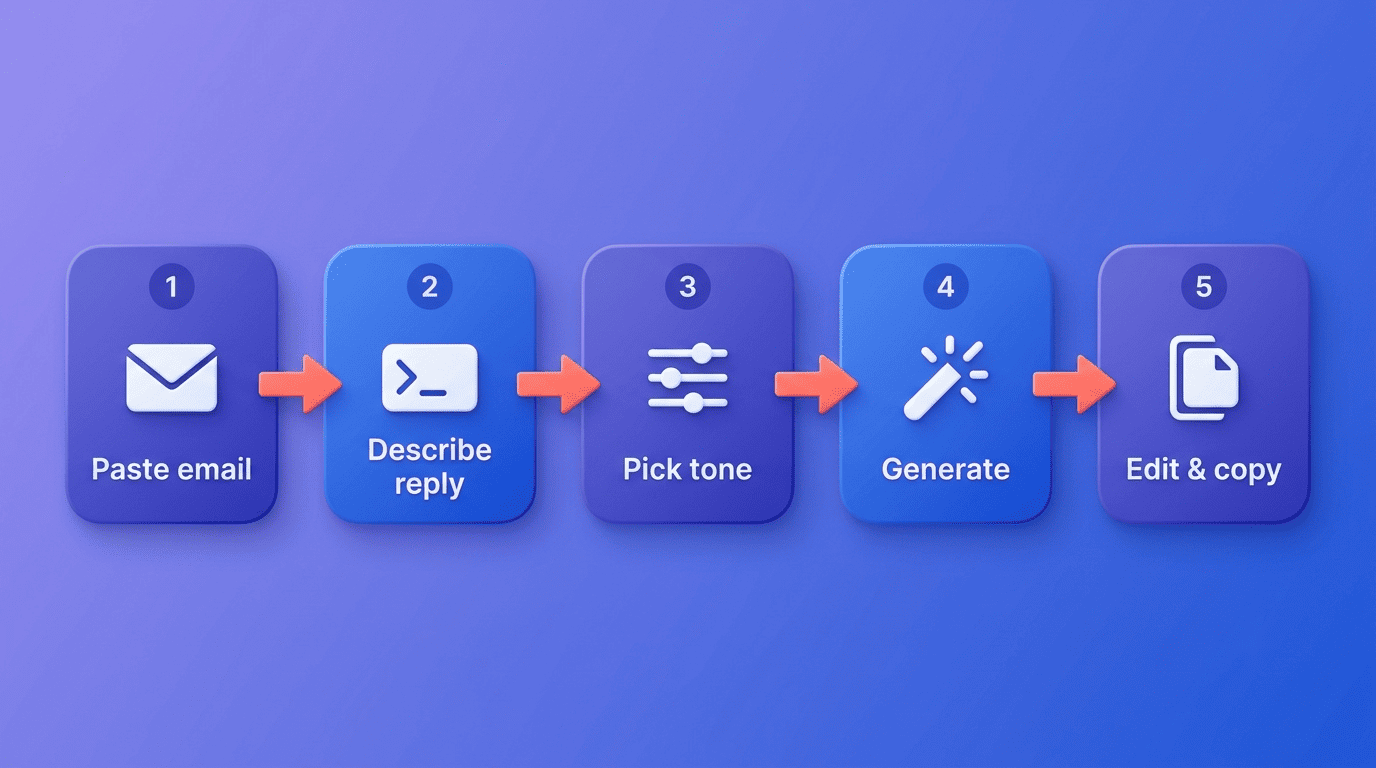
The core flow: paste, describe, generate
- Paste the incoming email so the tool has the full context of what’s being asked.
- Describe the gist of your reply — accept, decline, ask for more time, confirm a meeting.
- Choose a tone and a response length.
- Generate the draft.
- Edit for accuracy and copy it into your reply.
Planable’s version of this adds a style selector, a context field, a length toggle, a choice of one, three, or five variations, and an emoji on/off switch before you hit generate — more knobs, same five-step skeleton underneath.
What the AI actually does under the hood
The model reads the pasted email and your instruction together, then predicts the sequence of words most likely to form an appropriate reply, based on patterns learned from enormous amounts of text during training. OpenAI, the company behind the GPT models several of these tools license, describes this prediction process in its own documentation of how its language models work. That’s a useful thing to keep in mind: the output is a statistically likely draft, not a verified fact-check of your situation, so it’s a starting point you edit rather than a final answer you paste blind.
Controlling Tone, Style, and Length
A generic reply reads like a form letter. What separates a usable draft from a throwaway one is control over tone, phrasing, and length before generation even happens.
Picking the right tone
Most tools ship with a preset list you choose from rather than free-text tone instructions. Common presets across the category include:
- Formal — client contracts, vendor negotiations, official notices
- Friendly / casual — colleagues, regular customers, internal threads
- Apologetic / sympathetic — service failures, delays, complaints
- Persuasive / convincing — sales follow-ups, proposals
- Enthusiastic — good news, wins, thank-you notes
- Diplomatic — disagreements, pushback, sensitive feedback
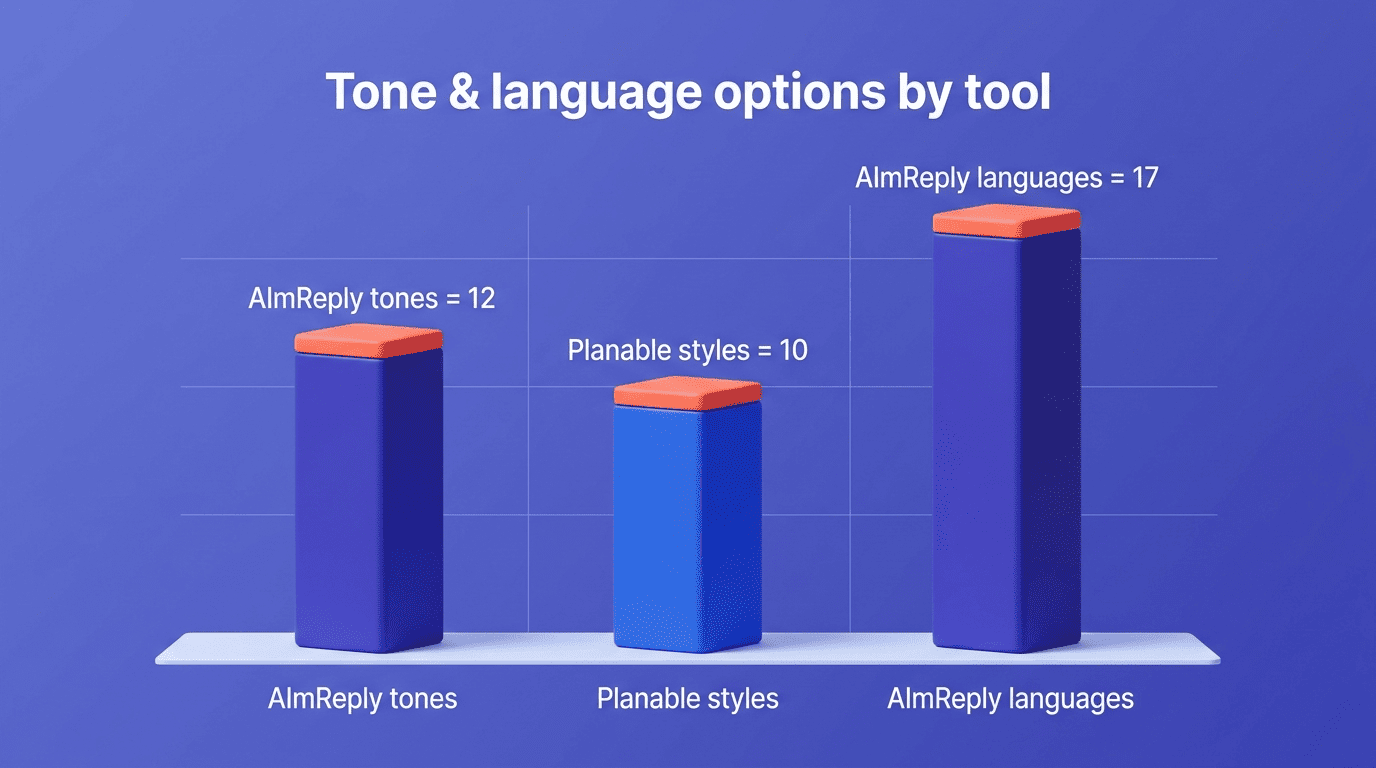
AImReply offers 12 such tones and Planable lists 10 writing styles, including empathetic and convincing options built specifically for customer-facing replies. Match the tone to the recipient, not to your default writing voice — a diplomatic tone for a frustrated client reads very differently than the same content delivered casually.
Length and variations
AImReply lets you pick short, medium, or long replies, which matters when a one-line acknowledgment is all a thread needs versus a detailed explanation. Planable takes a different approach to hedging your bets: instead of one output, it can generate one, three, or five variations of the same reply, so you pick the phrasing that fits rather than accepting whatever the model produced first. For teams replying to international customers, AImReply also supports 17 languages, so tone and length controls apply regardless of which language the draft comes out in.
| Tool | Tones/styles | Length options | Variations |
|---|---|---|---|
| AImReply | 12 tones | Short / Medium / Long | 1 |
| Planable | 10 styles | Adjustable | 1, 3, or 5 |
| QuillBot | Preset styles | Adjustable | 1 |
Types of Email Replies You Can Generate
Reply generators aren’t limited to one flavor of message — the same tool typically handles both revenue-driving replies and the everyday housekeeping of an inbox.
Business and sales replies. Planable’s listed use cases include high-volume customer responses, follow-ups on leads that have gone quiet, and confirmations of an upcoming meeting. Jotform highlights a similar set — customer inquiries, follow-ups, and appointment confirmations — as the bulk of what its Gmail-connected agent handles day to day.
Everyday and tricky replies. Thank-you notes, apologies, polite declines, and acknowledgments of feedback or reviews round out the other half of Planable’s use cases, and these are often the messages people procrastinate on longest because getting the tone wrong carries real cost. Pairing an apologetic or sympathetic tone preset (AImReply offers both) with a short length setting tends to produce a draft that reads as sincere rather than templated.
Rewording repetitive responses. If you find yourself typing a near-identical reply to the same question multiple times a week, a generator can vary the phrasing each time so it doesn’t read as copy-pasted, which Planable calls out specifically as a use case.
Personalization: Making the Reply Sound Like You
A draft that’s accurate but doesn’t sound like you still needs a rewrite before it goes out, which defeats the point.
Style learning vs. manual prompting
Fyxer’s own positioning draws a sharp line here: most generic AI tools miss context and produce impersonal responses, and the versions worth using are the ones that learn an individual’s actual writing style over time rather than applying a one-size-fits-all template. Tools without that learning layer put the burden on you — feed the generator a couple of example phrases you’d actually use, or paste your usual sign-off, and the tone comes closer to your own voice on the first try instead of the third revision.
Email is the backbone of how we communicate at Planable. With our AI reply generator, we wanted to build a tool that helps people tackle email backlogs and generate responses more effectively – without sacrificing the personal touch that makes every message count.
Nicu Gudumac, CTO, Planable
Keeping brand voice consistent
For teams, the concern shifts from personal tone to brand tone — Planable specifically markets its style presets as a way to keep replies consistent across everyone on a support or sales team, so a customer doesn’t get a warm reply from one rep and a curt one from another using the same free AI email generator. Saving a reusable prompt template with your tone and boilerplate instructions built in solves the same problem for solo users.
Free vs. Paid AI Email Reply Generators
Pricing in this category splits cleanly into tools you can use indefinitely for free and tools that meter usage to push you toward a subscription.
What you get for free
Planable, QuillBot, and Mailmeteor are usable without creating an account, which lowers the barrier for a one-off reply. Freemium tools take a different approach: Fyxer gives two free generations a day before asking for payment, and AImReply caps free usage with daily limits rather than a hard account wall.
When paid is worth it
The paid tier typically buys three things: direct inbox integration (Fyxer connects to Gmail and Outlook so drafts appear where you already work), style learning that improves with use, and removal of daily caps. Fyxer’s paid plans start around $30 a month after a seven-day trial, and AImReply’s premium tier unlocks the longer response mode. If you’re replying to dozens of emails a day, the time saved tends to outweigh the subscription cost quickly given the roughly 60% reduction in reply time Jotform reports for routine responses.
| Tool | Free tier | Paid tier | Account required |
|---|---|---|---|
| Planable | Unlimited | — | No |
| QuillBot | Unlimited | — | No |
| Mailmeteor | Unlimited | — | No |
| Fyxer | 2 replies/day | From $30/mo, 7-day trial | Yes |
| AImReply | Daily limits | Unlocks Long length | Varies |
Is It Safe? Privacy of AI Email Reply Tools
Pasting someone else’s email into a third-party tool raises a legitimate question before it raises a convenience.
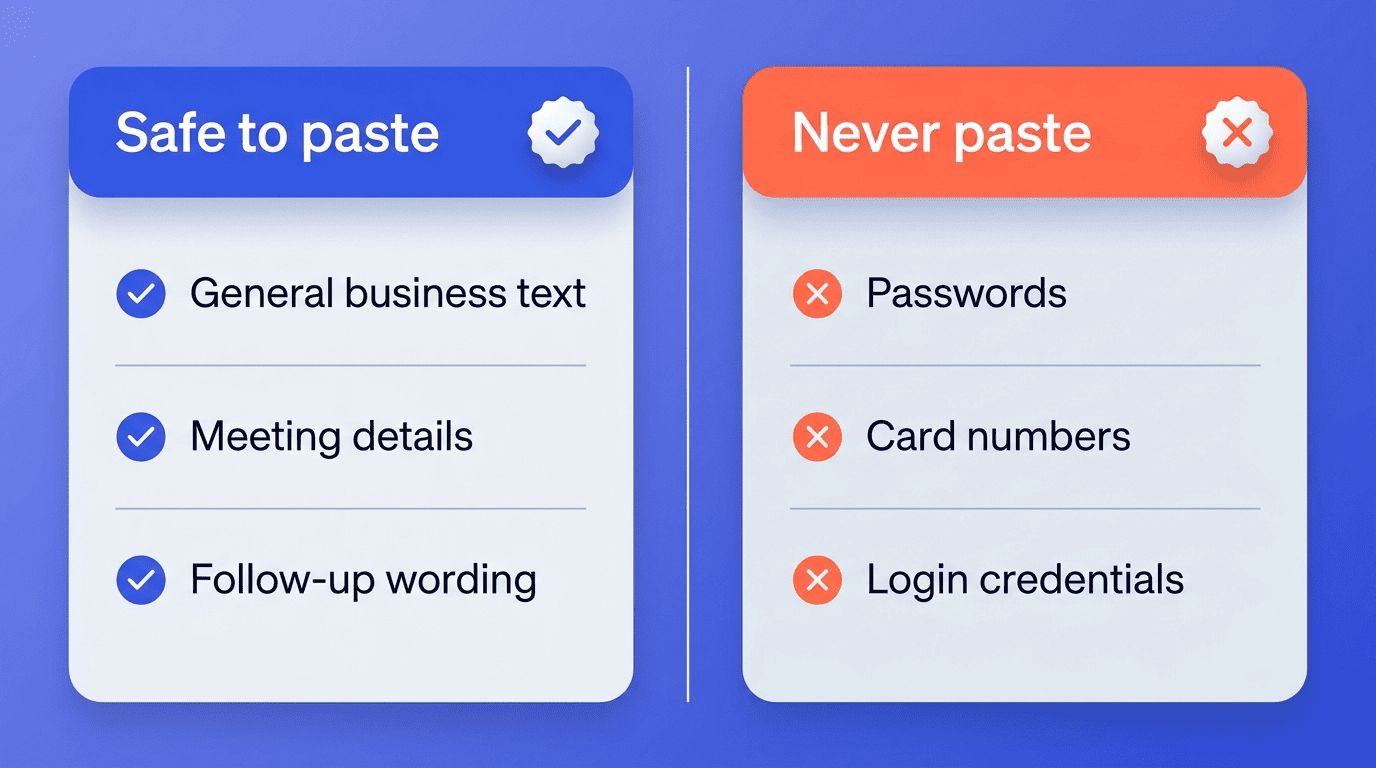
What happens to the email you paste
The honest answer is that your text leaves your machine and goes to the provider’s servers, and often onward to the underlying model provider. Mailmeteor states it retains submitted data for up to 30 days for anti-abuse purposes before deleting it. Policies vary by vendor: AImReply says it does not use submitted data to train its models, and QuillBot states it does not share user content with third parties. Read the specific policy of whichever tool you pick rather than assuming they’re all equivalent — the details differ enough to matter for anything even mildly sensitive.
Safer choices for sensitive email
For messages that touch client data, health information, or anything regulated, look for vendors that publish compliance credentials rather than just a privacy-policy page. Fyxer, for example, lists these certifications:
- SOC 2 Type II
- ISO 27001
- GDPR
- HIPAA
If a message is genuinely sensitive, native options built into your existing email provider are worth considering too — Gmail’s Smart Reply, documented in Google’s own Gmail help center, generates short reply suggestions without your text ever leaving Google’s infrastructure for a third-party AI email assistant. Whichever route you choose, never paste passwords, card numbers, or other credentials into any reply generator’s input box.
Best Practices to Get Better AI Replies
The output quality depends heavily on what you feed in, and a few habits consistently produce better drafts.
Prompt like a pro
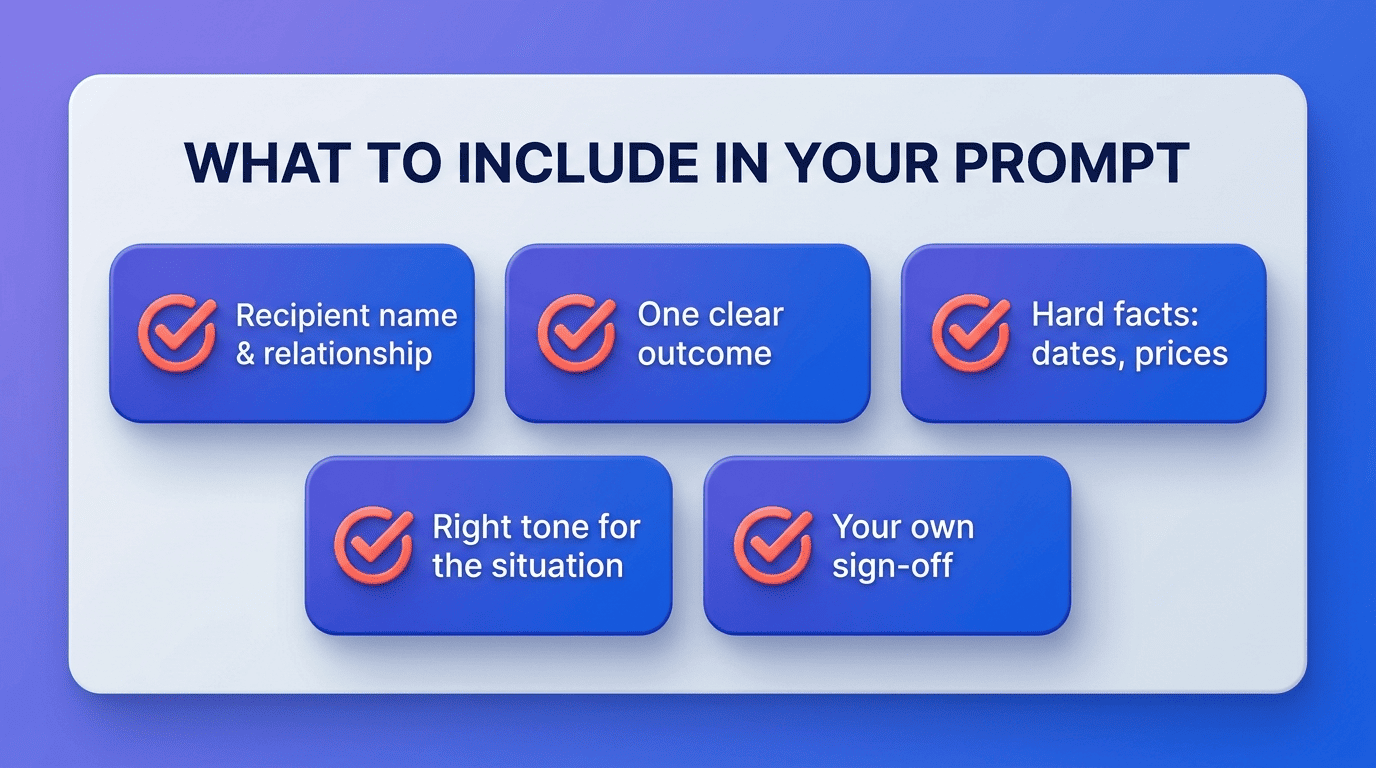
Give the tool context it can’t infer on its own: who the recipient is, what outcome you want, and any facts the reply needs to include, such as a date, a price, or a policy detail. If the tool supports multiple variations — Planable offers one, three, or five — generate more than one and compare rather than accepting the first draft by default. A few details consistently improve the draft:
- The recipient’s name and relationship to you (client, colleague, stranger)
- The one outcome you want the reply to achieve
- Any hard facts the reply must include — dates, prices, policy terms
- A tone that matches the situation, not just your mood
- One phrase or sign-off in your own voice, so the draft doesn’t read as generic
Always review before sending
Language models occasionally invent details that sound plausible but aren’t true — a date, a name, a commitment you never made. Read the draft fully, verify any specific facts or figures against the original thread, and add one personal detail the model couldn’t have guessed. The final responsibility for what goes out under your name stays with you, not the AI email assistant that drafted it.