
AI Email Generator vs ChatGPT: Which Actually Writes Better Emails in 2026?
Both promise to end the blank-inbox stare, but they solve the problem differently: ChatGPT is a general-purpose chatbot you can talk into writing anything, while an AI email generator is a purpose-built tool tuned for one job — turning a short brief into a ready-to-send email. According to OpenAI, ChatGPT itself is designed as a general conversational assistant, not an email-specific one, which is exactly where the two tools start to diverge.

The short answer: ChatGPT wins on flexibility and free-form ideation; a dedicated AI email writer wins on speed, consistency, and staying in your inbox. Below is exactly where each pulls ahead.
The core difference: general chatbot vs purpose-built email tool
ChatGPT and an AI email generator both run on large language models, but they are built for opposite jobs. One is a blank canvas for any task; the other is pre-configured for a single, repetitive one — writing email.
What ChatGPT is built for
ChatGPT is a large language model from OpenAI designed for open-ended conversation — it can draft an email, but it can equally write code or plan a trip. Nothing about the interface is optimized for email specifically; you get a blank prompt box and must describe the task from scratch every time.
What an AI email generator is built for
An AI email assistant is pre-tuned for email: it ships with ready templates and a one-click Generate/Copy flow. You pick a type, set the tone, add two facts, and get a finished draft — no prompt-crafting required. Typical templates cover:
- Cold outreach
- Follow-up
- Apology
- Introduction
- Payment reminder
Roughly 40% of people already use or plan to use AI to write emails, and about 19% of adults use AI to compose email specifically.
| ChatGPT | AI email generator | |
|---|---|---|
| Primary job | Open-ended conversation | Email composition only |
| Templates | None built-in | Cold outreach, follow-up, apology, intro, reminder |
| Tone selector | Via prompt wording | One click |
| Inbox/thread context | No | Yes, in inbox-native tools |
| Best for | Ideation, one-off writing | Repetitive, high-volume email |
Speed and workflow: the hidden time cost of ChatGPT
The gap between the two tools shows up less in the writing itself and more in everything around it — the tabs, the copying, and the formatting fixes.
Knowledge workers spend around 28% of the workweek — roughly 11.2 hours in a 40-hour week — reading and answering email, according to McKinsey Global Institute research. The average person spends about 8 hours 42 minutes a week just writing emails. Small friction multiplies fast at that volume.
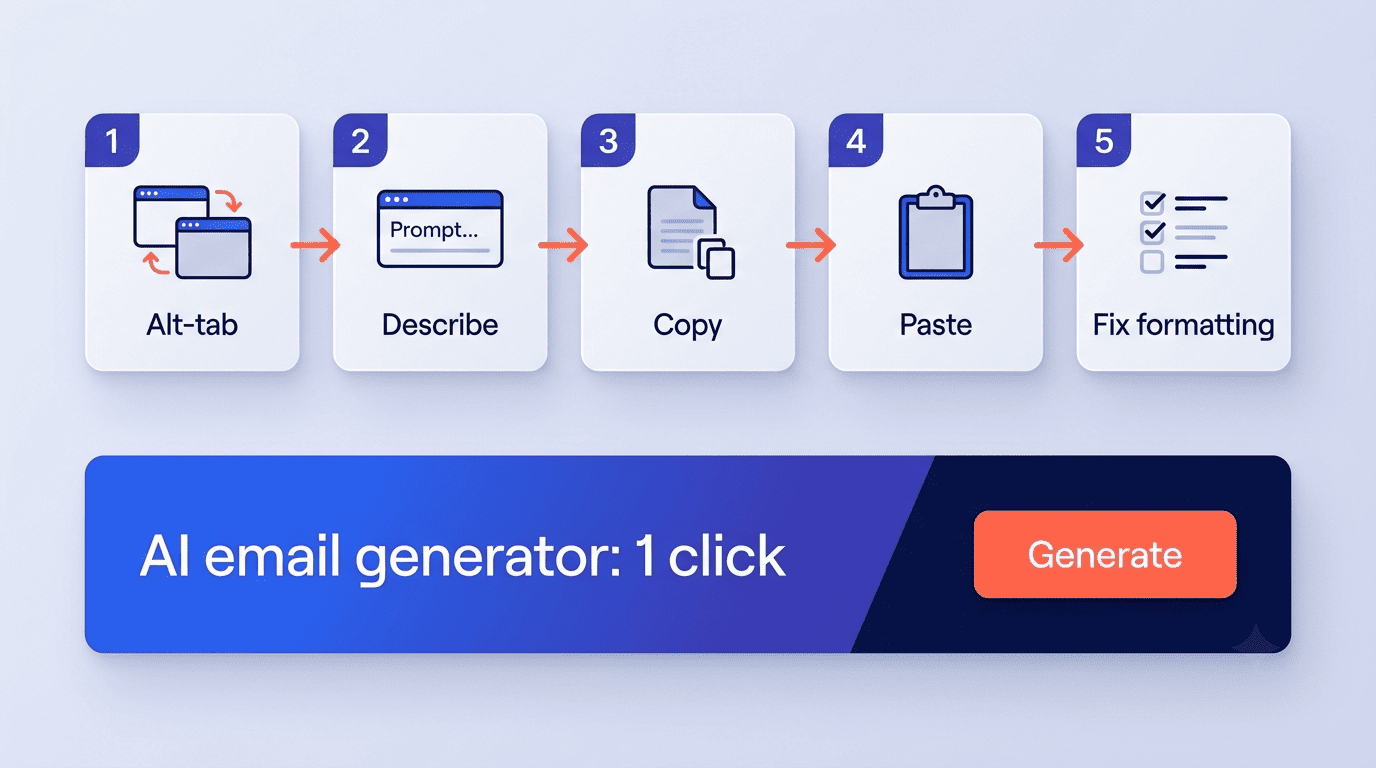
With ChatGPT you alt-tab out of your inbox, describe the email, copy the output, paste it back, and fix the formatting — every time. A purpose-built AI email generator tool collapses that into one step inside the writing flow. Across 50 emails a day, the copy-paste tax turns into hours of hidden work and introduces real errors: mangled formatting, missed recipients, replies dropped into the wrong thread.
Draft quality and personalization
Raw writing quality turns out to be less of a differentiator than most people expect — both tool categories draw on similar underlying models.
Both make you faster — the research
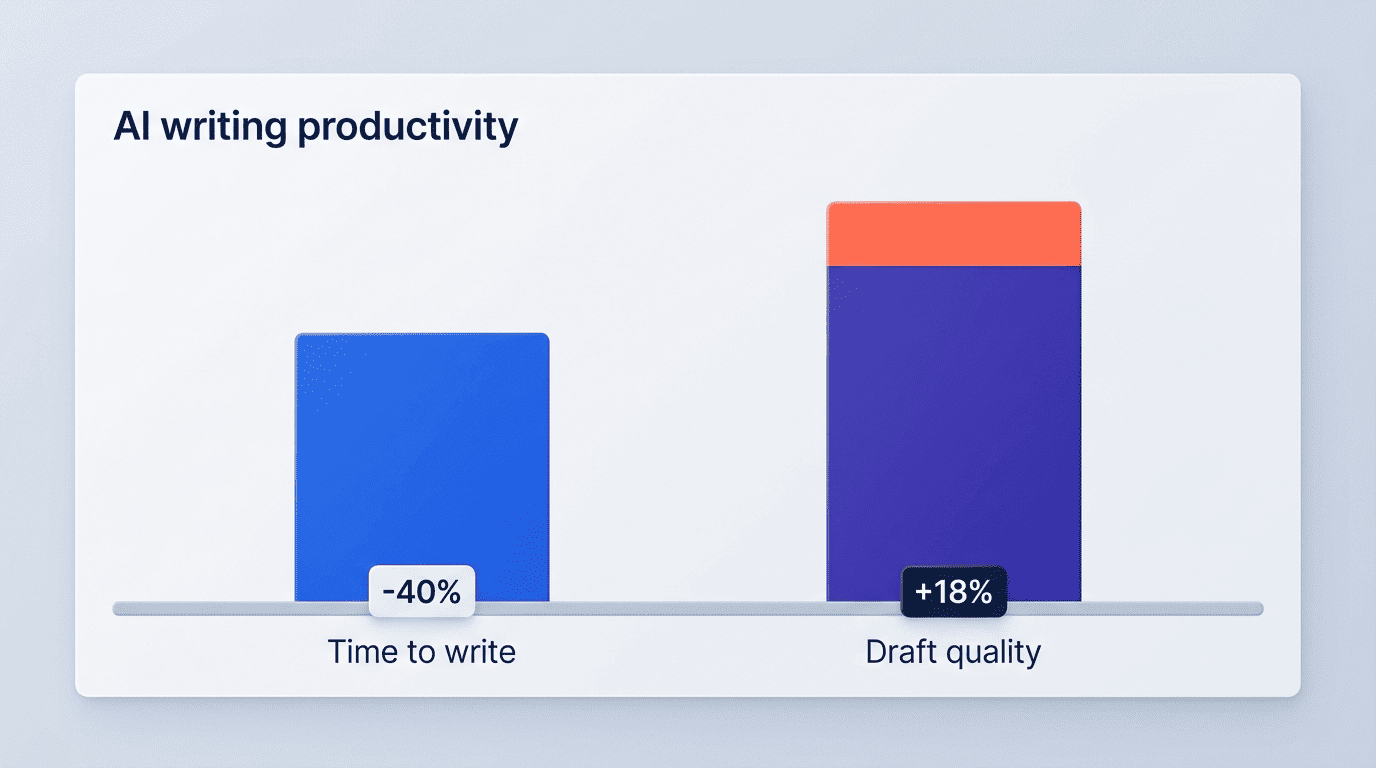
The productivity gain from generative AI is well documented. In a controlled study of 453 professionals, MIT researchers Shakked Noy and Whitney Zhang found that ChatGPT-style assistance transformed business writing:
The average time taken decreased by 40% and output quality rose by 18%.
Noy & Zhang, Science (2023)
That gain applies to ChatGPT and to any AI email generator built on the same class of model, so raw writing horsepower is roughly a wash. The difference shows up in context and consistency.
Where a dedicated tool pulls ahead
ChatGPT hasn’t read last week’s thread with that client and can’t see your calendar to propose a meeting time — it writes from a blank slate. An AI email generator can lean on templates and, in inbox-native tools, the thread itself, so drafts land closer to ready-to-send. ChatGPT also has no email-specific templates or built-in fact-checking, so niche or technical emails still need a careful human pass.
Where ChatGPT pulls ahead
For pure ideation — brainstorming angles, rewriting one paragraph five ways, generating a dozen subject lines — ChatGPT’s flexibility is hard to beat. For unusual, one-off, or highly creative messages that don’t fit a template, the generalist is often the better first draft. Tasks where ChatGPT tends to win outright include:
- Brainstorming multiple angles for a single message
- Rewriting the same paragraph in five different tones
- Generating a long list of subject-line options to test
- Drafting highly creative, non-template messages
For everything repetitive, a purpose-built tool still wins on speed.
Privacy and security: what you paste matters
The tool you choose also decides where your text ends up, and that matters more for email than for most other writing tasks because email routinely contains names, numbers, and commitments you don’t want reused elsewhere.
The training-data question
Text you type into consumer ChatGPT can be used to improve OpenAI’s models unless you turn that setting off, according to OpenAI’s own documentation on how data is used to improve model performance — a real concern when the «email» contains client names, contracts, or financials. Purpose-built business email tools typically run under enterprise agreements with certifications such as:
- SOC 2 Type II
- ISO 27001
- GDPR / CCPA compliance
- AES-256 encryption
That keeps sensitive drafts out of a public training pool.
Can people tell it was AI?
Detectors such as GPTZero score text on signals like perplexity (how predictable the wording is) and burstiness (how much sentence length and style vary), then flag a batch of tell-tale patterns — generic phrasing, uniform sentence structure, an overly formal tone. Both ChatGPT and email generators produce detectable patterns; the fix is the same for both — add specifics, adjust tone, and edit so the message sounds like you.
Pricing: is ChatGPT actually cheaper?
ChatGPT has a capable free tier and a $20/month Plus plan, with Pro tiers at $100 and $200 a month for heavier professional use. Dedicated AI email generators span roughly $5-$59/month, and many — including this one — offer a free tier to start. On sticker price they’re comparable; the real cost difference is the time tax of prompting and copy-pasting, which a purpose-built tool removes.
| Tool | Monthly price | Notes |
|---|---|---|
| ChatGPT Free | $0 | Usage limits apply |
| ChatGPT Plus | $20 | Higher limits, more models |
| ChatGPT Pro | $100 — $200 | For heavy, professional use |
| Mailmeteor | $4.99 | Inbox-native, Gmail-focused |
| Rytr | $9 | Templates + tone selector |
| MailMaestro | $15 | Outlook/Gmail add-in |
| Lavender | $29 | Sales email coaching |
| Lindy | $49.99 | Automation-heavy workflows |
When ChatGPT is enough (and when it isn’t)
Price parity means the real decision comes down to how you actually work, not what each option costs.
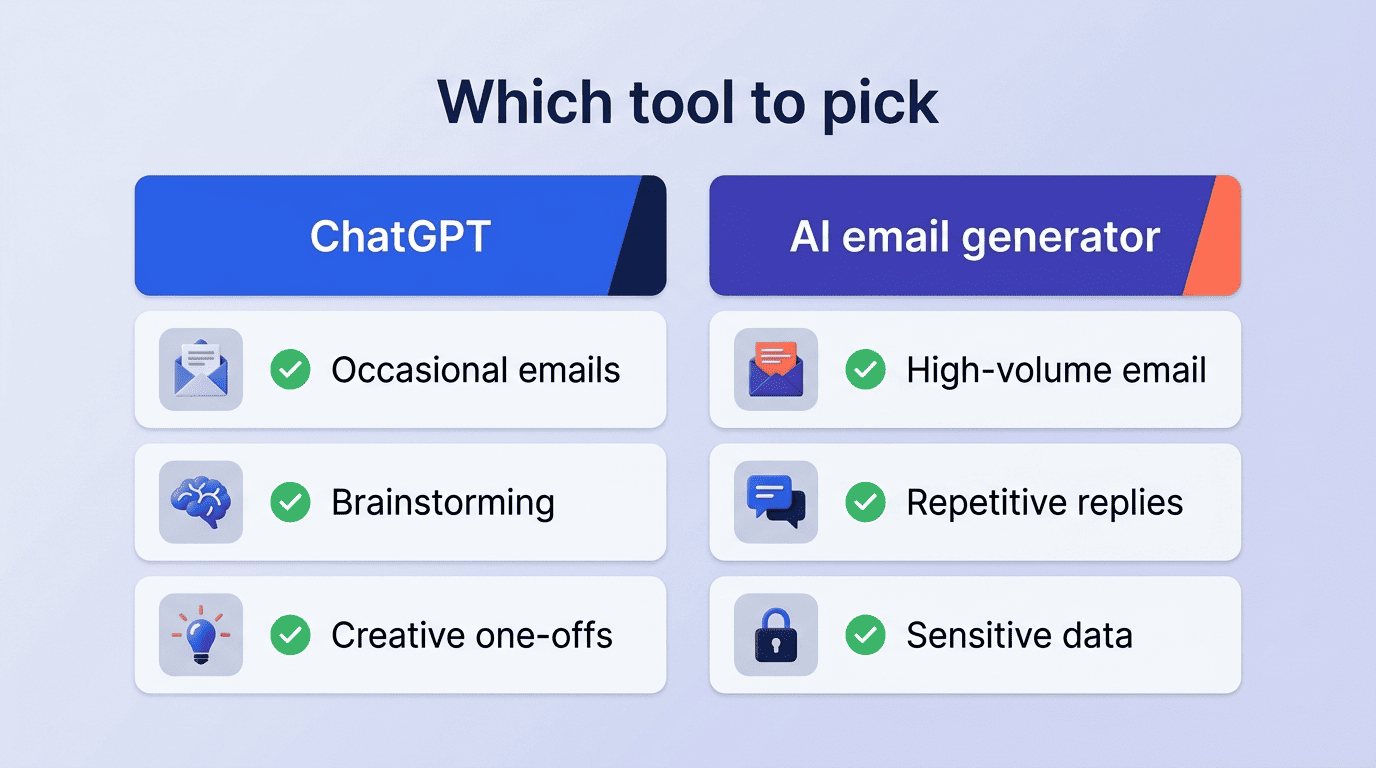
Occasional, varied, or creative messages. If you write few emails and enjoy crafting prompts, or you’re brainstorming copy and subject lines, ChatGPT’s flexibility covers the job well. For raw marketing copy with a good prompt, ChatGPT (or Claude) can match or beat many dedicated tools.
High-volume, repetitive email. If you write the same types of emails repeatedly — sales outreach, follow-ups, replies — a purpose-built AI email writer keeps you inside your inbox and applies consistent tone across a team.
Sensitive or regulated content. If you handle client data, contracts, or financials, favor a tool with SOC 2 / GDPR compliance over pasting text into a consumer chatbot.
Subject-line and send-time performance. Dedicated tools also add email-specific wins like subject-line optimization, typically a 5-15% open-rate lift, and send-time tuning worth a further 2-5% engagement gain.
How to choose the right one for you
Match the tool to the job rather than picking one and forcing every email through it. A short trial answers the question faster than reading more comparisons:
- Track how many emails you write in a typical week and note which types repeat.
- Draft the same real email in ChatGPT and in a dedicated AI email generator, side by side.
- Time each draft from blank page to send-ready, including formatting fixes.
- Check whether either draft needed inbox or thread context to sound right.
- Compare the two drafts for tone consistency if you work with a team.
- Weigh the subscription cost against the hours saved over a month.
- Pick the tool that wins on your actual numbers, not the general reputation of either one.
If your email work is high-volume and repetitive, a purpose-built AI email assistant pays back its subscription in reclaimed hours and fewer copy-paste mistakes. If your needs are occasional and creative, ChatGPT’s free tier may be all you need — and there’s nothing wrong with using both: ChatGPT to brainstorm, the email generator to ship.