
AI Cold Email Generator: How to Write Outreach Emails That Get Replies
An AI email generator turns a one-line prompt about your prospect and offer into a ready-to-send outreach email in seconds — subject line, body, and call to action. HubSpot’s research on AI cold email tools found that they meaningfully cut the time reps spend drafting each message. In short, an AI cold email generator drafts personalized cold emails so you spend minutes editing instead of hours writing from scratch.

But a generated draft is only the start — reply rates still hinge on personalization, length, subject line, and follow-up. This guide covers what these tools do, the email types they handle, and how to make the output actually convert.
What Is an AI Cold Email Generator?
A cold email generator is a writing tool built on top of a large language model (LLM) — most run on OpenAI’s GPT-4o, Anthropic’s Claude, or a mix of both. You describe your company, product, and target buyer, and the model produces a first draft. Mailmeteor and several similar tools run on OpenAI’s models; Typli uses GPT-4o Mini; Copy.ai combines ChatGPT and Claude behind one interface. The distinction between a «generator» and a plain AI «writer» matters: a generator creates a message from scratch out of a prompt, while a writer typically edits or rewrites text you already supplied.
How it works: prompt in, draft out
You enter the company name, the product or service, a description of the ideal customer, and a tone — the underlying LLM returns a draft in seconds. Because the model is trained on huge volumes of business writing, it can mimic a competent SDR’s phrasing without much extra input from you. For background on how these language models process and generate text, Wikipedia’s overview of large language models is a useful primer on the underlying technology.
What a good generator outputs
A strong generator doesn’t stop at the email body. It hands you a subject line, an inbox preview snippet, a personalized opening line, and one clear call to action — all four pieces working together. Copy.ai’s free plan covers roughly 2,000 words a month and holds SOC 2 Type II certification; lemlist says its AI is trained on more than 400 million emails sent by top outreach experts, plus a database of over 650 million leads, which is part of why its suggested phrasing tends to sound field-tested rather than generic.
Types of Cold Emails You Can Generate
Cold outreach is not one template — it’s a handful of distinct message types, each suited to a different stage of the sales conversation. A capable AI cold email generator recognizes the difference and adjusts structure, tone, and length accordingly rather than forcing every request into the same shape.
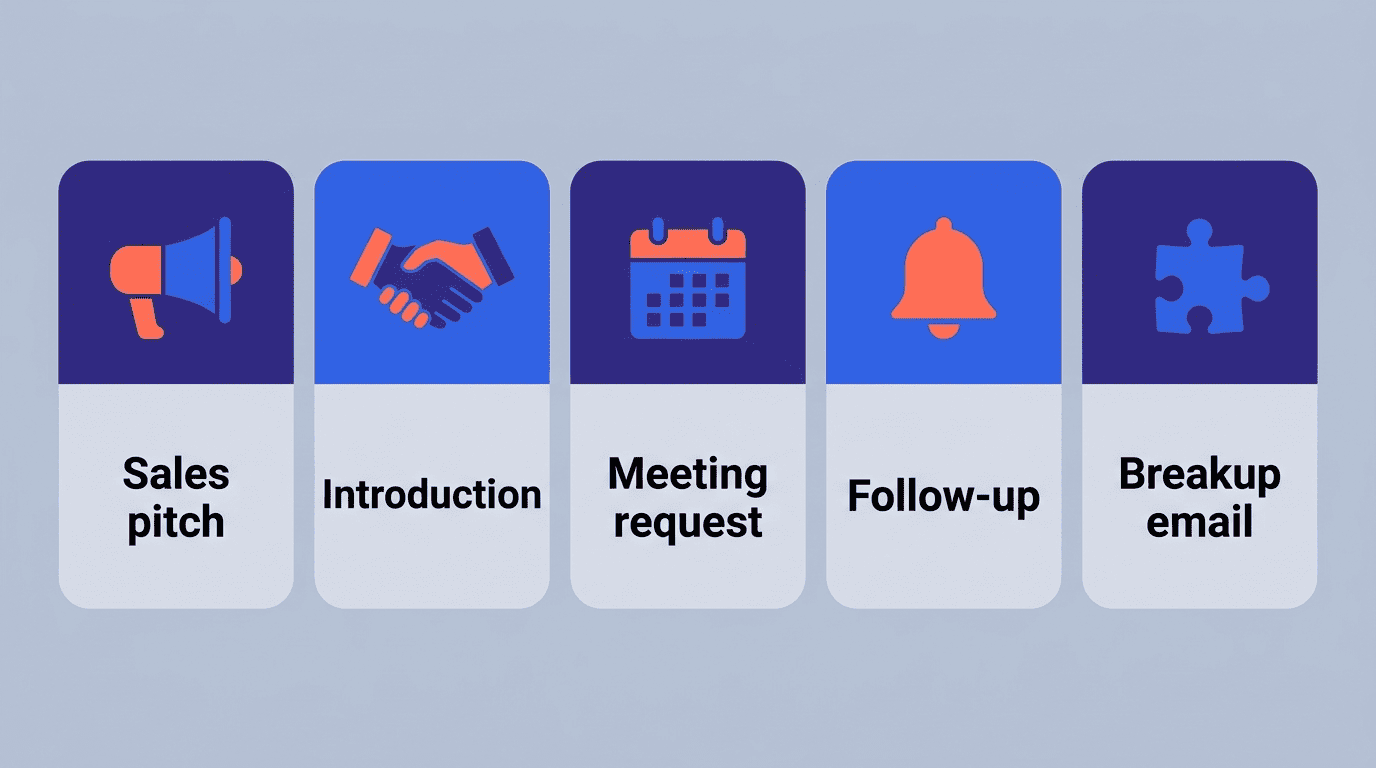
The core cold email types
- Sales pitch — introduces a specific product or service and its main value proposition
- Introduction (intro) — a lighter, relationship-first message with no hard ask
- Meeting or demo request — asks directly for a short call or product walkthrough
- Partnership or collaboration — proposes a mutual arrangement rather than a sale
- Follow-up — a short nudge referencing the earlier message
- Breakup email — the final touch in a sequence, signaling this is the last attempt
Cold email is not a fallback channel, either. In HubSpot’s outreach survey, 23% of sales professionals named cold email their single best channel for outreach, and 21% called it the most effective channel for lead generation overall — both ahead of several other prospecting methods.
Which type fits your goal
| Goal | Email type | Sample CTA |
|---|---|---|
| Book a call | Meeting/demo request | «Got 15 minutes this week?» |
| Build awareness | Introduction | Soft, open-ended question |
| Close a stalled deal | Follow-up | Reference to the first email |
| Explore a partnership | Partnership/collab | Propose a specific next step |
| Exit the sequence | Breakup email | «Should I close this out?» |
A generator worth using will read your stated goal and adjust tone and length — a meeting request stays terse and action-oriented, while an intro email leaves more room for context.
How to Write a Cold Email That Converts (With AI)
Generating a draft is the easy part; making it convert takes editing. The anatomy of a cold email that gets replies follows a predictable pattern, and it’s worth checking any AI draft against it before you hit send.
Structure and length
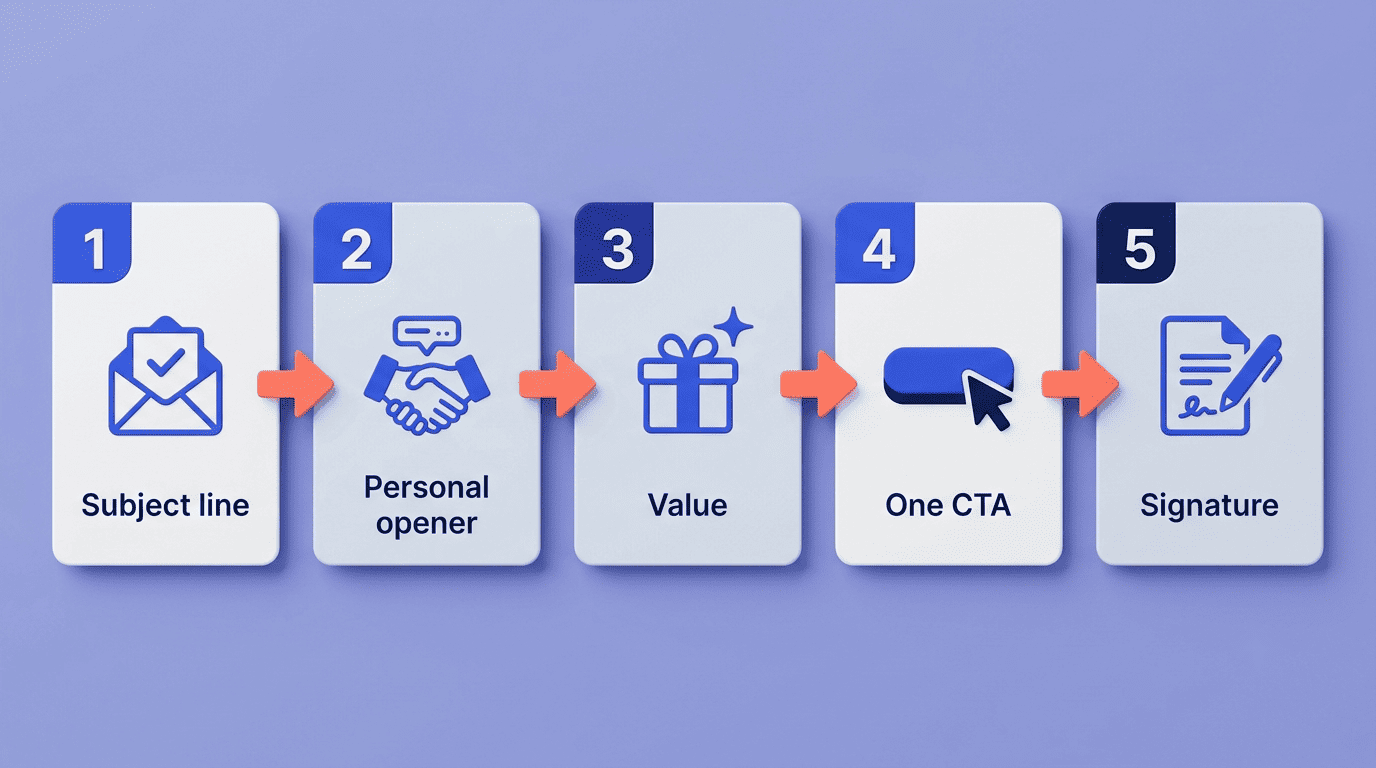
A converting cold email follows five parts in order: a relevant subject line, a personalized opener that avoids «Hope you’re well,» one clear value statement, a single call to action, and a short signature. lemlist’s own data puts the sweet spot at 75-125 words total, and WriteMail.ai recommends keeping the whole email under 150 words. Shorter, on average, correlates with a higher response — recipients skim, and a five-paragraph cold email rarely survives that skim.
Personalization is the multiplier
Personalization is the single biggest lever available. Using a prospect’s first name in the subject line alone has been shown to lift open rates by roughly 50%, and deeper contextual personalization can push reply rates up to 9x higher than a generic template. A generator can pull several data points automatically from a LinkedIn profile or an ICP description:
- First name and job title
- Company name and industry
- A recent post, launch, or news mention
- A shared connection or mutual context
Always verify these details by hand before sending — AI models occasionally fabricate a job title, company detail, or recent news item that sounds plausible but isn’t real.
Avoid spam triggers
Roughly 70% of recipients say they’ll flag a message as spam based on the subject line alone, before ever opening the body. A handful of words consistently trigger both spam filters and human suspicion:
- «free»
- «guaranteed»
- «act now»
- «limited time»
- «no obligation»
Deliverability also depends on factors outside the email text itself. Domain reputation and proper inbox warm-up matter just as much as wording, and authentication records such as SPF reduce the odds of a message landing in spam before a recipient ever sees the subject line. U.S.-based senders running larger campaigns should also stay familiar with the CAN-SPAM Act’s core rule on subject lines.
Don’t use deceptive subject lines. The subject line must accurately reflect the content of the message.
FTC, CAN-SPAM Act: A Compliance Guide for Business
That same guide requires an accurate sender identity and a working opt-out mechanism in every commercial email — rules worth checking against before any AI-generated subject line goes out at volume.
Subject Lines and Open Rates
The subject line decides whether the rest of the email ever gets read, which is why it deserves as much editing attention as the body copy.
Keep it short. The best-performing subject lines run 40-50 characters, or roughly 3-7 words — long enough to convey relevance, short enough to survive truncation on mobile.
Personalize it. A subject line referencing the recipient’s name, company, or a specific detail consistently outperforms a generic one.
Skip the spam words. Filters and recipients both react negatively to urgency language and all-caps punctuation.
Use a proven formula. Four patterns hold up repeatedly: a curiosity hook, a personalized-relevance statement, a value proposition under six words, or a timely trigger tied to a recent event.
Open rate benchmarks
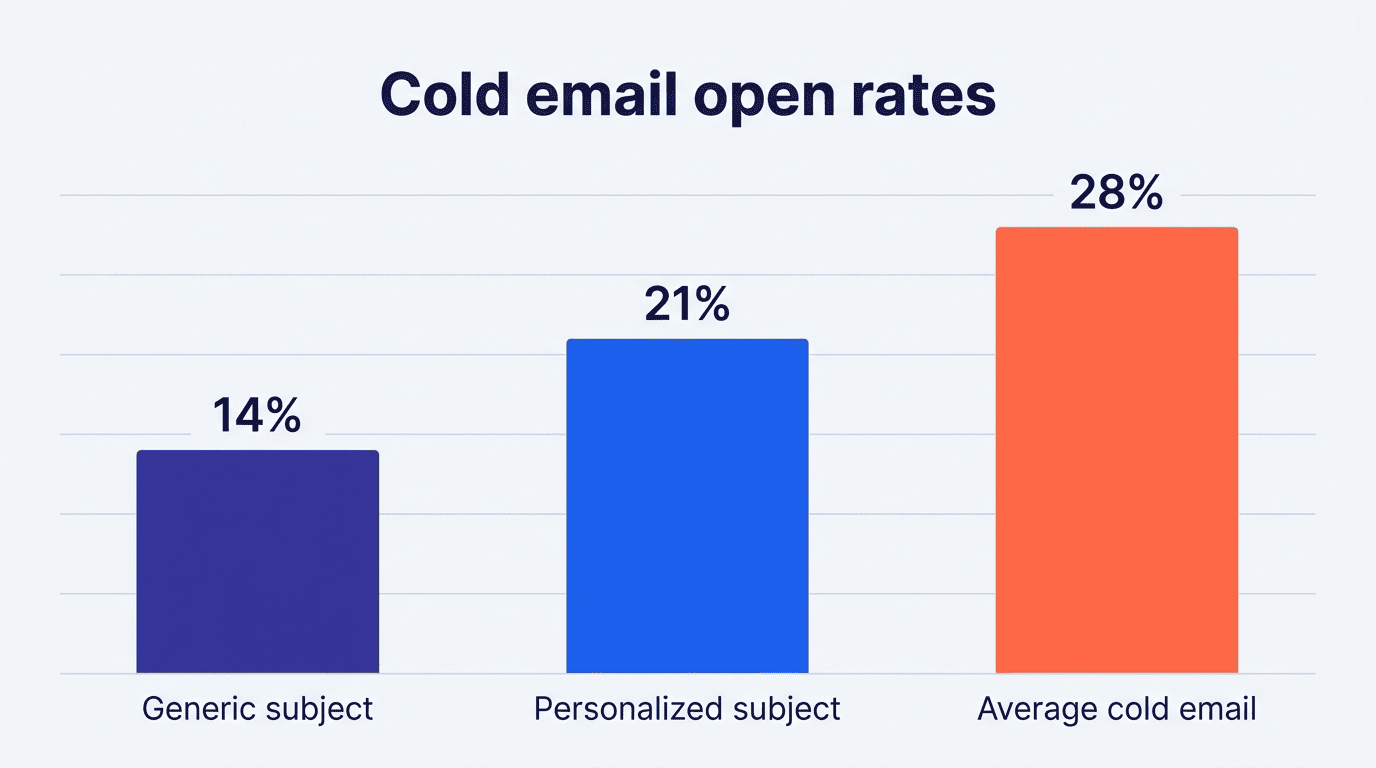
The average open rate for cold email campaigns sits around 27.7%, while top-performing senders reach 45-50%. The personalization gap is measurable: one widely cited study found subject lines personalized with the recipient’s name average a 21.2% open rate versus 14.1% for generic ones — roughly a 50% relative improvement. One caveat worth knowing: Apple Mail Privacy Protection pre-fetches images and artificially inflates open-rate tracking, so treat any open-rate figure from a list with many Apple Mail users as an overestimate.
Follow-Ups and Sequences
A single cold email rarely closes the loop on its own — the data on follow-ups makes that clear.
Why follow-ups matter
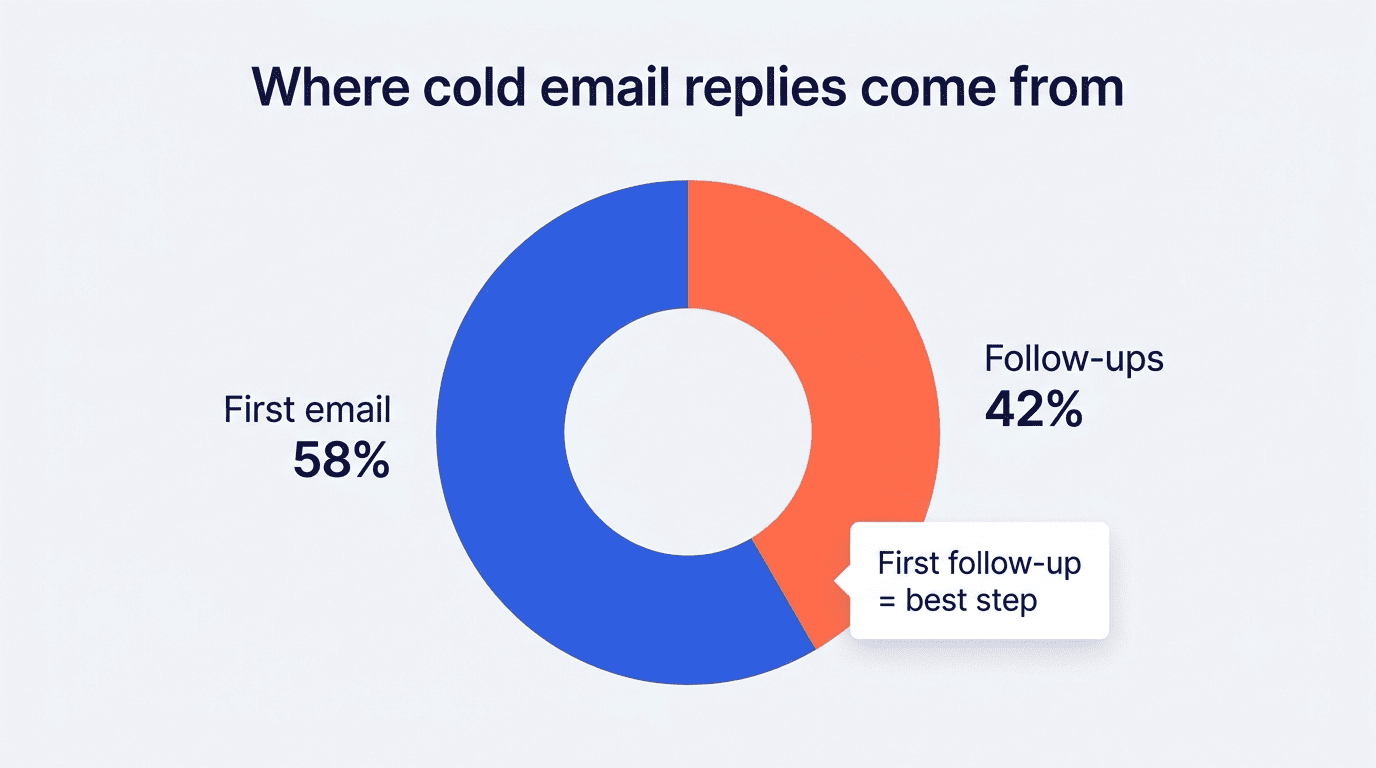
58% of all replies come from the very first email in a sequence, but the remaining 42% come from follow-ups — meaning nearly half of your responses would never arrive if you stopped after one message. The first follow-up alone is typically the single most effective step in the sequence, converting at around an 8.4% reply rate. Adding even one follow-up can lift overall response by as much as 65.8%, and stacking two to three follow-ups — starting around three days after the initial email — pushes replies higher still.
Building a sequence with AI
The data points to four to seven total touches as the optimal range: fewer than four and you lose roughly 42% of the replies that follow-ups would have generated; more than seven brings diminishing returns and higher unsubscribe risk. Timing matters too — Tuesday through Thursday mornings, in the recipient’s own time zone, tend to outperform other send windows. Tools like lemlist will generate an entire three-email sequence in one pass rather than making you draft each touch separately, and a free AI email generator can produce that first draft sequence before you spend time refining it by hand.
Free vs Paid: Choosing a Generator
Most cold email generators offer a usable free tier before asking for a card.
What free tiers give you
Copy.ai’s free plan includes about 2,000 words a month at no cost. Quillbot’s tool works without account registration at all. Mailmeteor’s free tier caps sending at 50 emails a day; its cheapest paid plan (around $6/month) raises that to 250 emails a day, and the top plan (around $36/month) reaches up to 2,000 emails a day. Paid tiers generally add CRM-pulled personalization, multi-step sequence building, and deliverability or analytics tooling on top of the base writing feature.
| Tool | Free tier | What paid unlocks |
|---|---|---|
| Copy.ai | ~2,000 words/month | Unlimited words, brand voice, workflow automations |
| Quillbot | No signup required | Higher usage limits, advanced editing tools |
| Mailmeteor | Up to 50 emails/day | From ~$6/mo for 250 emails/day up to ~$36/mo for 2,000/day, mail merge at scale |
| lemlist | 14-day trial | Full sequences, CRM sync, deliverability tools |
When to upgrade
If you need integrations with a CRM like Salesforce or HubSpot, want to run sequences at volume, or need dedicated deliverability monitoring, a paid plan earns its cost quickly. For occasional one-off outreach, a free AI email generator tool covers the job without a subscription.
Here’s a simple five-step process for turning a raw AI draft into a message worth sending:
- Generate a first draft with your prospect’s company, product, and ICP details in the prompt
- Fact-check every specific claim the AI made about the recipient before sending
- Trim the body to the 75-125 word range and cut to a single CTA
- Rewrite the subject line to 3-7 words, personalized, with no spam-trigger words
- Schedule two to three follow-ups starting three days out, sent Tuesday through Thursday morning