
AI Apology Email Generator: Write a Sincere «I’m Sorry» Email in Seconds
A well-timed apology can save a client relationship, a deadline, or your reputation — but the words are hard to find when you feel bad about the mistake. According to Harvard Business Review, how you build your apology message and how carefully you execute it can determine whether a relationship survives a mistake or ends because of it. An AI email generator turns a one-line description of what went wrong into a polished, professional apology email in seconds.

An AI apology email generator handles the structure — the acknowledgment, the responsibility, the fix — so you can send something sincere without staring at a blank screen. You still supply the specifics and the final read-through, but the tool removes the blank-page problem that makes apologies drag on for hours.
What an AI Apology Email Generator Actually Does
An AI apology email generator works from a short prompt and a tone setting, then returns a full draft built around the same components a communications expert would use. Tools in this category typically ask for a few sentences of real context — what happened, who it affects, what you’re offering — and can hold that tone across multiple languages if you need one. The output is meant to be a starting draft, not a finished, send-as-is email.
From a one-line description to a finished draft
You type in the situation — what happened, who it affects, and what you’re offering as a fix — and pick a tone. The generator returns a structured draft built around acknowledgment, responsibility, and next steps. The more detail you put into the prompt, the more specific and less generic the output reads.
| Tone setting | Best used for |
|---|---|
| Professional | Colleagues, vendors, most business email |
| Warm | Long-standing clients, personal working relationships |
| Formal | Your manager, executives, legal or contractual issues |
A vague prompt like «missed a deadline» produces a generic email; a prompt that names the project, the new date, and the reason produces something that sounds like you actually wrote it. Picking the right tone setting from the table above matters almost as much as the details you feed in.
Where it helps most
An apology email generator earns its keep in the situations where you need to move fast and can’t afford to sound careless. The most common scenarios include:
- A missed deadline, where you need to own the delay and give a firm new date before the client starts guessing
- An email sent to the wrong recipient, where a quick, direct correction limits the damage of a reply-all mistake
- A delayed response, where silence reads as indifference and a short apology re-opens the conversation
- An error in a report or deliverable, where naming the mistake builds more trust than pretending it didn’t happen
- Poor service to a customer, where a tone-appropriate draft with a concrete fix beats a generic «sorry for the inconvenience»
An AI apology email generator saves time and removes the emotional friction of drafting under stress, but the final edit — the specific detail, the honest tone — should stay yours.
The Anatomy of a Professional Apology Email
Every apology email that actually works is built on the same handful of moving parts, regardless of who’s writing it or what went wrong. Skipping any one of them is usually what makes an apology feel hollow.
The four building blocks every apology needs
A clear acknowledgment of the mistake. Name what happened directly — «the report went out with the wrong figures,» not «there may have been some confusion.» Vague acknowledgment reads as evasive.
A sincere apology that takes responsibility. Say «I take full responsibility,» not «if anyone was offended.» The second phrase shifts blame onto the reader’s reaction instead of owning the action.
Empathy for the impact. Show that you understand what the mistake cost the other person — a missed meeting, a wasted afternoon, a frustrated customer downstream.
A plan of action. State what’s already fixed and what prevents a repeat. This is the part that turns an apology from words into a commitment.
A short example pulls all four together: «I apologize for missing the deadline for the Q3 report — this was an error on my part, and I take full responsibility. I plan to get this to you by end of day tomorrow, and I’ve moved up my internal review step so it won’t happen again on future deliverables.»
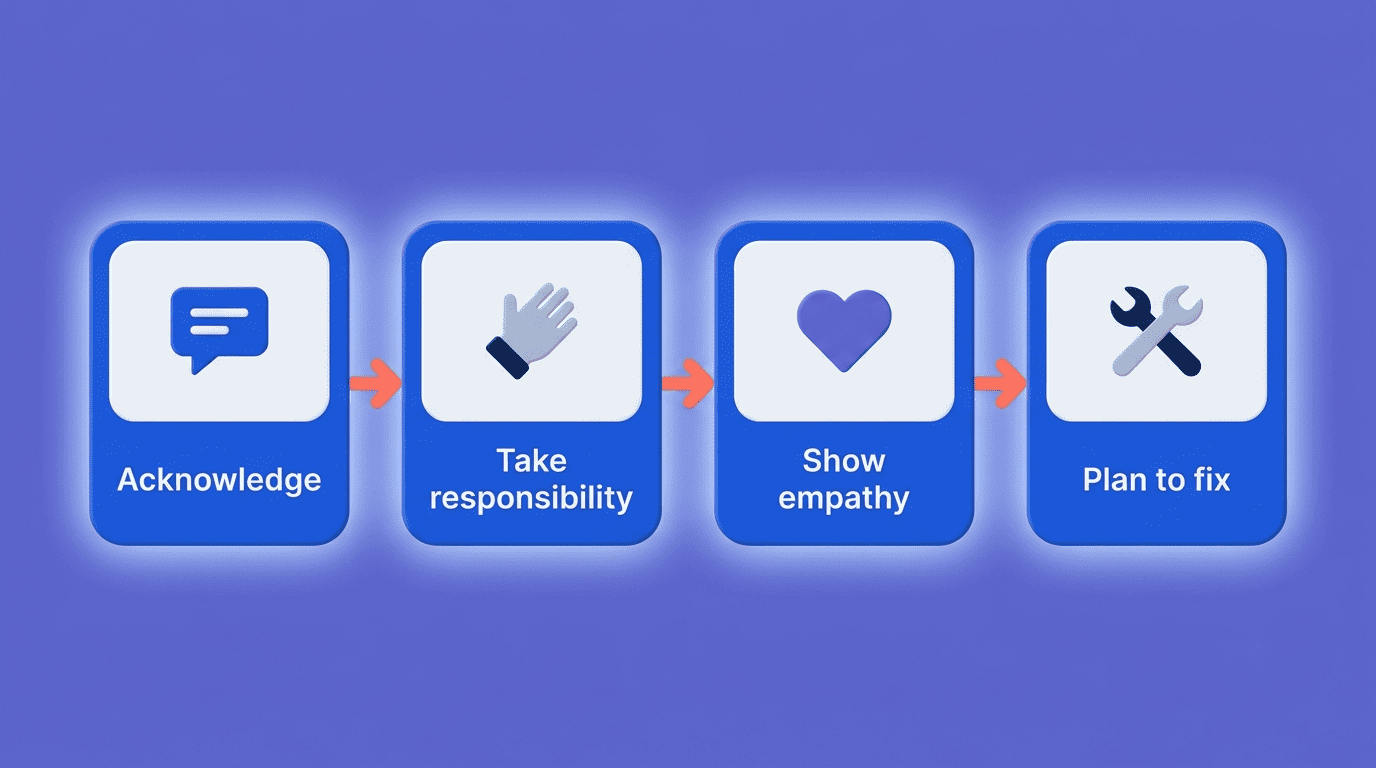
A few habits undercut all four building blocks at once, so it helps to know what to leave out:
- Long, detailed excuses for why the mistake happened
- Passive phrasing that avoids naming who is responsible («mistakes were made»)
- Blaming a teammate, a tool, or «miscommunication» instead of owning the outcome
- A vague promise to «do better» with no specific next step attached
What science says makes an apology work
Organizational psychologist Roy Lewicki, whose research at Ohio State examined which components of an apology matter most, found that two elements carry far more weight than the rest.
Say it is your fault, that you made a mistake. … One concern about apologies is that talk is cheap. But by saying, ‘I’ll fix what is wrong,’ you’re committing to take action to undo the damage.
Roy Lewicki, Ohio State University
Lewicki’s study tested six components of an apology and found that acknowledgment of responsibility and an offer of repair significantly outweighed the others in effectiveness — with a request for forgiveness mattering least. A well-built AI draft includes both of the top-weighted elements by default, which is one reason a generated email can read as more effective than an unstructured one you write in a rush.
Apology Email Subject Lines That Get Opened
The subject line sets the tone before the reader opens the message, and a vague one can make an apology feel like it’s hiding something. A strong subject line names the problem plainly rather than teasing it.
For internal or client email, direct phrasing works best: «Apologies for the delay on the Q3 report,» or «Correction on my earlier email.» For a customer-facing apology, a slightly lighter tone is sometimes appropriate — «We messed up» or «Oops — here’s what happened» — but only when the brand voice already leans casual and the mistake is minor enough to joke about.
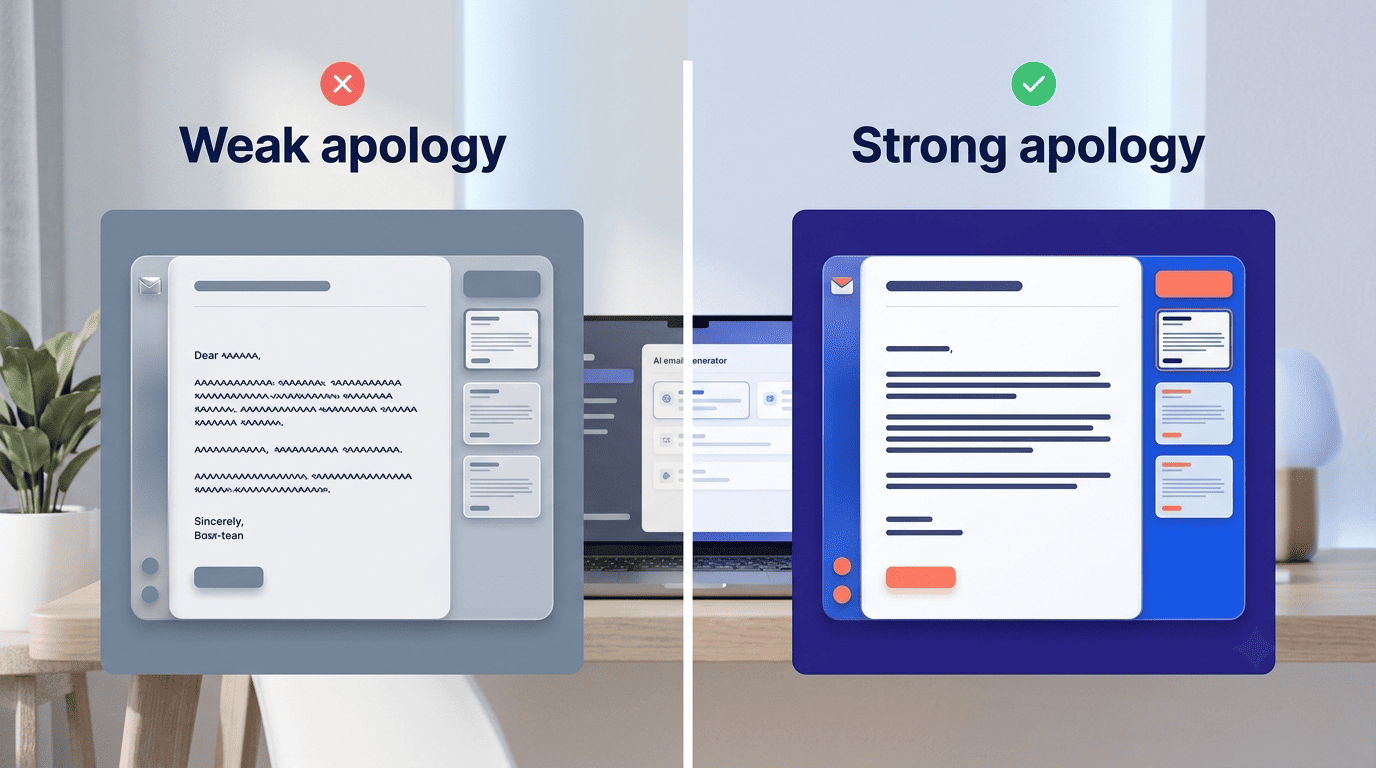
A subject line that gets opened, and doesn’t feel evasive, usually shares a few traits:
- It names the topic, not just the sentiment («delay,» «error,» «correction»)
- It skips vague filler like «important update» or «quick note»
- It matches the formality of the relationship
- It’s short enough to read in full on a phone screen
| Scenario | Subject line example |
|---|---|
| Missed deadline | «Apologies for the delay on [Project]» |
| Wrong recipient | «Correction on my earlier email» |
| Customer service issue | «We’re sorry — here’s how we’re fixing it» |
| Internal miscommunication | «My apologies for the confusion during our call» |
| Product or shipping error | «An update — and an apology — on your recent order» |
Ready-to-Adapt Apology Templates by Scenario
Different mistakes call for different structures, but the same acknowledgment-responsibility-fix pattern runs through all of them. Here’s how it plays out across the situations that come up most.
Missed a deadline
Acknowledge the miss, take responsibility, and commit to a new date in the same short paragraph: «I’m sorry the [deliverable] didn’t reach you by [date] as promised. That’s on me, and I’ve set [new date] as the firm delivery time.»
Skip any explanation longer than one sentence — the recipient wants the new date more than the backstory. If the delay affects other people downstream, mention that you’ve already flagged it to them too, so the reader isn’t left wondering.
Apology to a customer
Customer apologies carry more weight than most people assume. Industry-wide complaint-handling research puts the figure at roughly 70% of customers who complain returning to do business again once the issue is resolved in their favor, and that number climbs further when the fix comes fast.
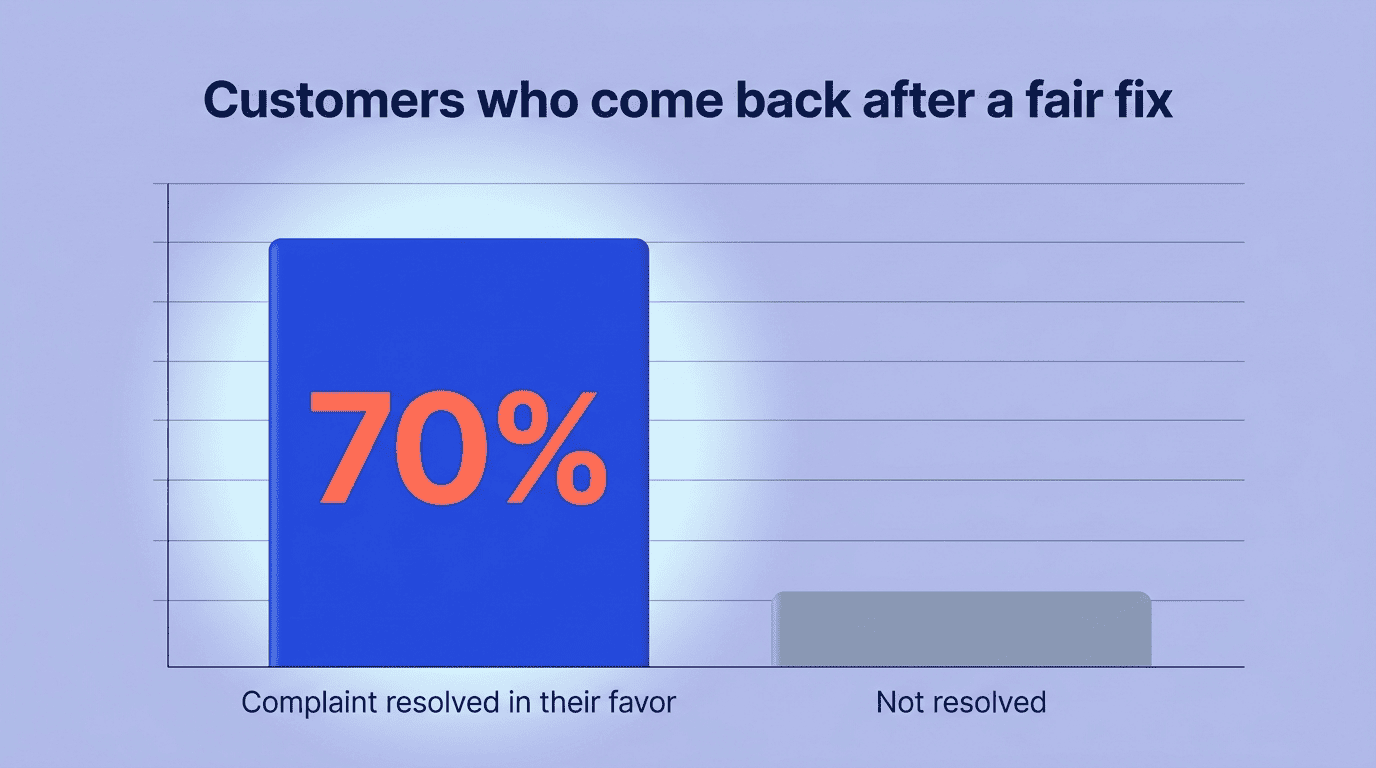
That makes the fix, not just the wording, the most important part of the email. Acknowledge the issue, apologize without hedging, and offer something concrete — a refund, credit, or replacement — instead of a vague promise to «do better.» A free AI email generator can produce a scenario-specific version of this template in under a minute, which matters when a support inbox is backed up.
Sent to the wrong recipient / reply-all
Keep it short: name the mistake, ask the recipient to disregard the earlier email, and confirm no action is needed on their end. Over-explaining how the mistake happened usually makes it worse, since it draws more attention to information that may have been sensitive.
If the email contained confidential details, say so directly and ask that it be deleted rather than forwarded. A one-paragraph correction sent within minutes does far more damage control than a longer explanation sent an hour later.
Apology to your boss
A more formal register works better here — lead with responsibility, skip the excuses, and close with the specific step you’re taking so it doesn’t happen again. Your manager is usually less interested in why something went wrong than in whether you’ve already handled it.
Keep the tone measured rather than apologetic to the point of over-explaining; over-apologizing to a manager can read as a lack of confidence rather than accountability. One clear sentence acknowledging the mistake, followed by the fix, is usually enough.
Here’s a simple sequence for drafting any of these from scratch:
- State the mistake in one plain sentence.
- Name who it affected and how.
- Apologize directly — no «if» or «anyone.»
- Offer the concrete fix or new timeline.
- Add one line on what prevents a repeat.
- Reread it as the recipient, not as the sender.
- Cut anything that sounds like an excuse.
Making AI Output Sound Genuinely Human
An AI draft gets the structure right, but structure alone doesn’t make an apology land. Turning a generated email into something that sounds like you takes one more editing pass.
Edit for sincerity, not just grammar
Strip filler phrases like «I am writing to offer my sincere apologies» — nobody talks that way, and it delays the actual apology by a sentence. Trim long explanations of why the mistake happened; extended context often reads as an excuse instead of an accountability statement.
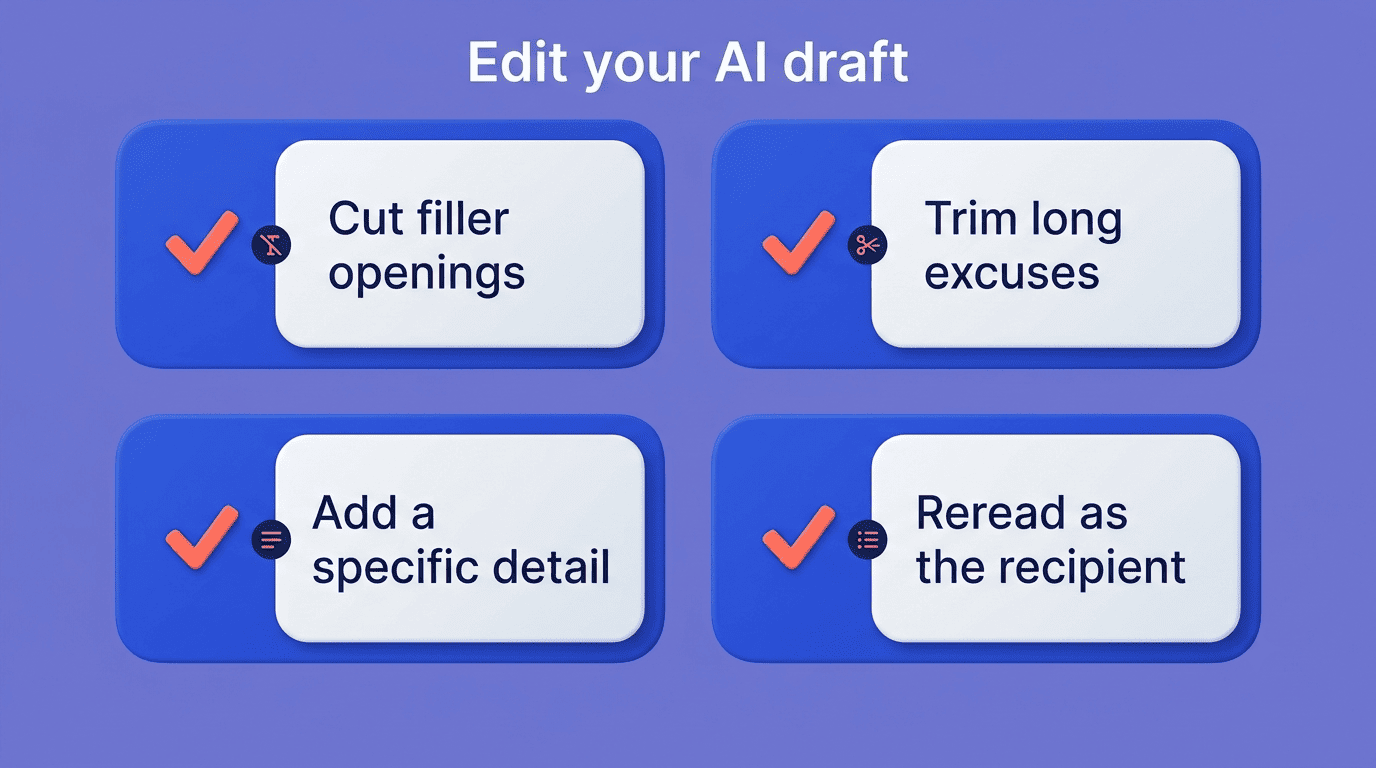
Add one specific, human detail — the exact deadline you missed, the name of the client affected — because generic language is the fastest way to make an apology feel automated. A finished draft from an AI email writer gets most of the way there, not a text you should send unedited. A quick pass to check for these issues before sending helps:
- Any opening phrase that delays the actual apology
- Explanations that run longer than the fix itself
- Missing names, dates, or details specific to this situation
- A closing line that sounds like a form letter
When NOT to use email at all
For serious mistakes — a broken commitment, a significant financial error, anything involving someone’s job or reputation — a phone call or an in-person conversation carries weight that email can’t. Email works well for a delay, a typo, or a scheduling miscommunication; it works poorly as the only channel for anything that damaged real trust.
Understanding what actually earns forgiveness helps calibrate that decision. The American Psychological Association describes forgiveness as a voluntary shift in feelings, attitudes, and behavior toward the person who caused the harm — not simply an acceptance that the mistake happened. That shift is much more likely to happen face-to-face, when the other person can see the sincerity behind the words, than through a screen.